

EU Digital Omnibus: Is Europe Quietly Dialling Back Data and AI Rules?
December 9, 2025
Fake WhatsApp API on npm Steals Messages, Contacts, and Login Tokens
December 23, 2025
Running a small business often means using what you already have.Your website might sit on Hostinger with its free mailbox, while your team wants Microsoft 365 for Outlook, Teams and calendars.
The good news is that you do not need to choose one or the other. With a split email setup you can use Microsoft 365 and Hostinger email on the same domain.
Some mailboxes live in Microsoft 365, others stay in Hostinger, and everything still works with one clean address like name@yourdomain.com.
In a typical setup your domain has one mail provider. All email goes to that provider’s servers and is delivered there.
Split email is different.
You tell the internet to send all incoming mail to Microsoft 365 first. Microsoft then checks if the mailbox exists in Exchange Online:
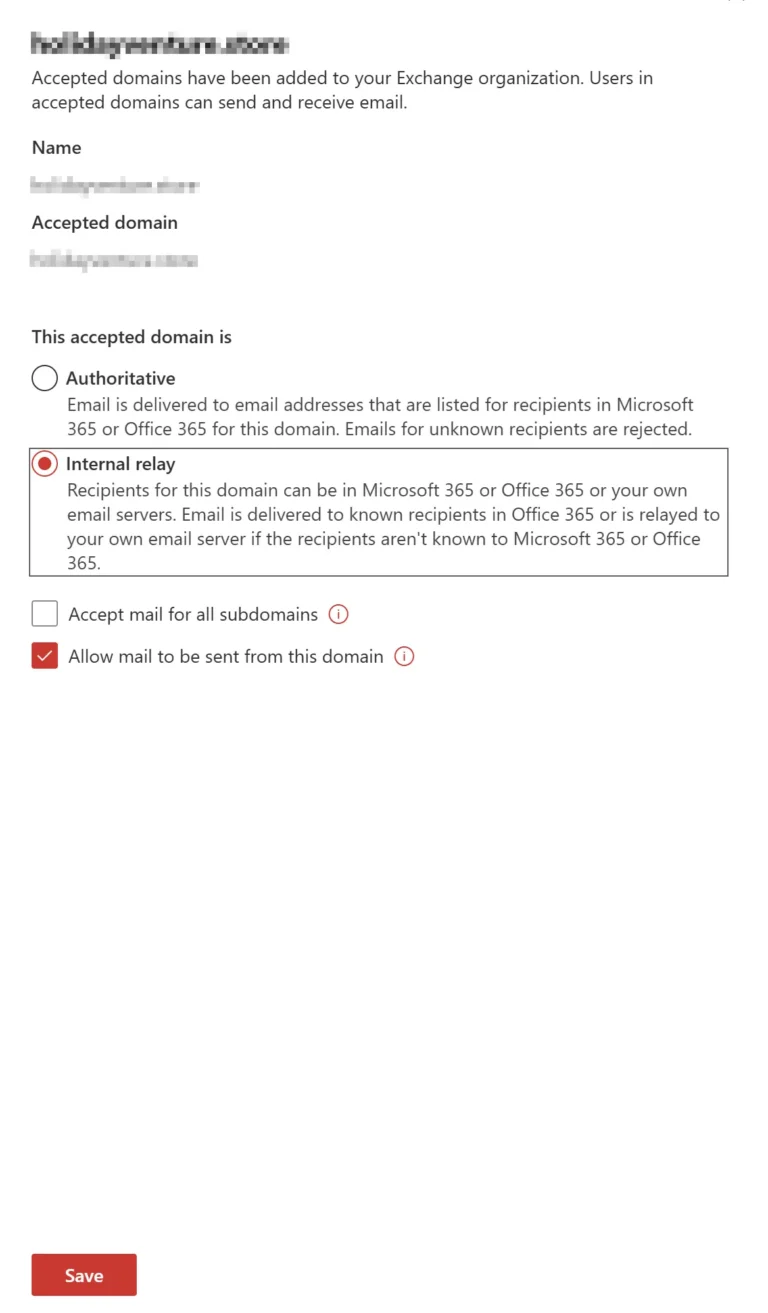
This is called an internal relay domain in Exchange Online. You also create a connector from Microsoft 365 to Hostinger. The connector is just a safe route that says, “for unknown users on this domain, relay mail to mx1.hostinger.com and mx2.hostinger.com”.
The result:
Add the TXT record Microsoft gives you in your Hostinger DNS panel.
Once Microsoft sees it, the domain shows as verified.
v=spf1 include:_spf.mail.hostinger.com include:spf.protection.outlook.com ~all
This tells other servers that mail from both Hostinger and Microsoft 365 is valid.
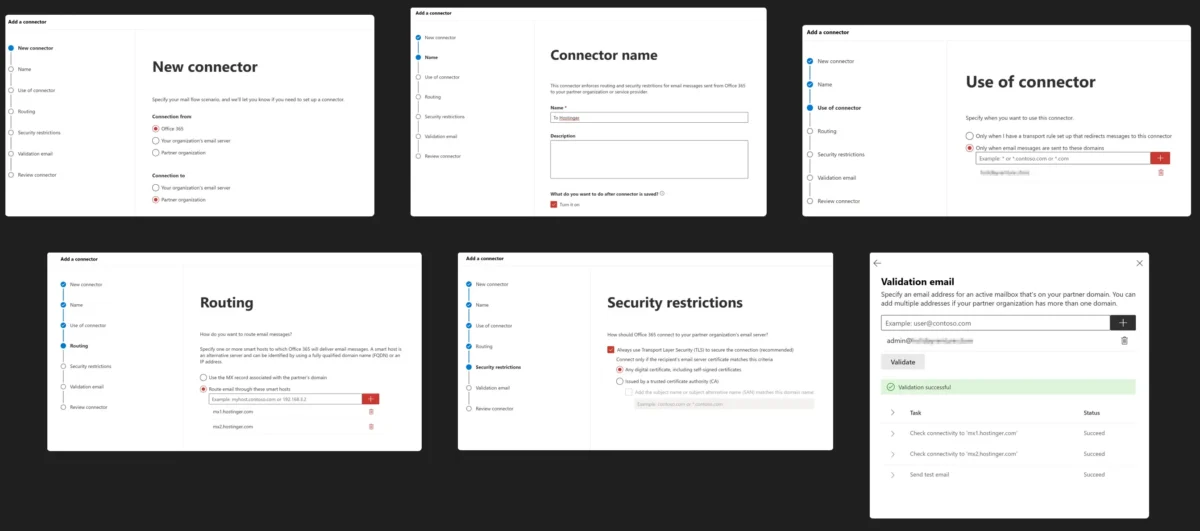
5. Create the connector from Microsoft 365 to Hostinger
Still in Exchange, go to Mail flow → Connectors and create a new connector:
To a Hostinger-only mailbox → it should appear in Hostinger webmail. If both work, your split email setup is live.
Splitting email between Microsoft 365 and Hostinger might look technical at first, but once it is in place it works quietly in the background. Your team can enjoy Outlook and Teams, while simple mailboxes stay on low-cost hosting, all under one trusted domain name. If you plan your addresses carefully and test each route, this setup gives you a flexible, future-proof email system without forcing you to move everything in one big migration.